Claude’s Evolution into an AI Productivity OS
Claude has undergone a significant transformation, evolving into a powerful AI productivity tool that integrates seamlessly with various applications. The introduction of MCP Apps marks a new era in workplace interactions, allowing users to perform tasks without switching between multiple browser tabs.

New Features of Claude
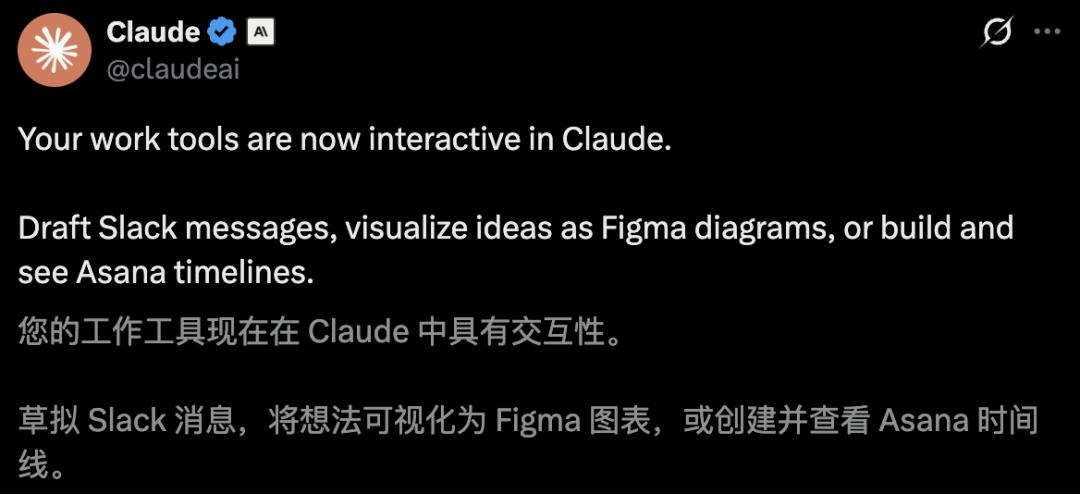
Recently, Anthropic announced ten essential productivity tools that can now be interacted with directly within Claude. Users can draft Slack messages, visualize ideas in Figma, or create and review Asana timelines with just a click.
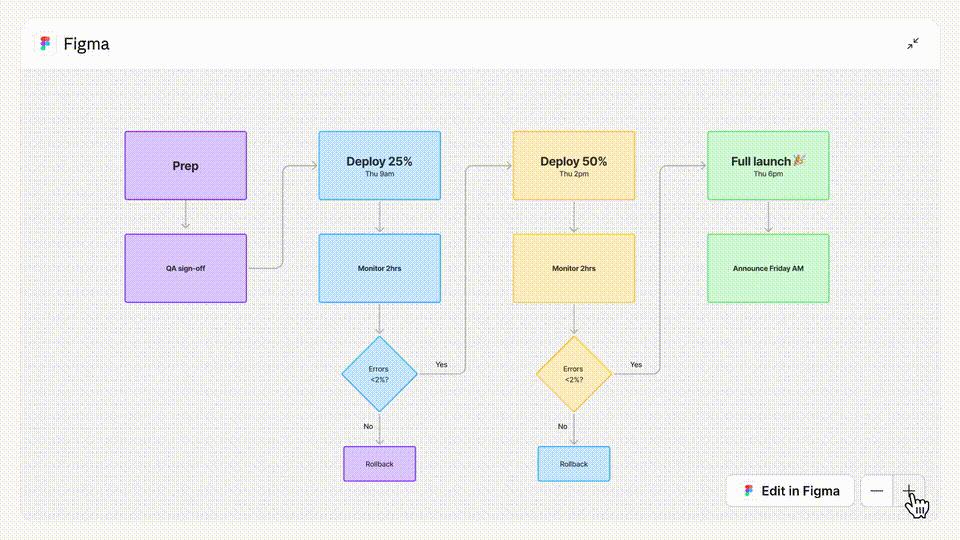
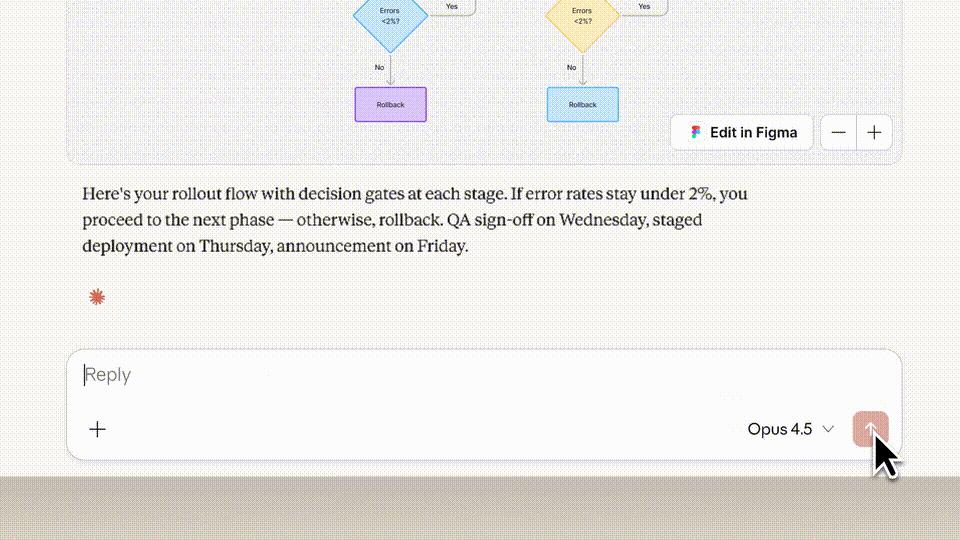
This integration means that all tasks can be completed within Claude, streamlining workflows and enhancing productivity. For instance, during a meeting discussing dashboard revisions, users can ask Claude to outline a launch plan and it will actively pull in Figma to create a clear flowchart in minutes.
Next, users can retrieve engagement data using Amplitude, which Claude can utilize to generate a line graph instantly.
Currently, over ten mainstream applications, including Slack, Figma, and Asana, are connected to Claude, breaking down barriers between AI models and software tools.
The Rise of MCP Apps
With the introduction of MCP Apps, Claude has effectively become the operating system of the AI era. Amplitude’s founder stated that traditional UIs are obsolete, as no one wants to log into multiple SaaS applications anymore. The future of UI is about integrating directly into individual workflows, appearing automatically when needed.
This shift is exemplified by Clawdbot, which is being hailed as the “extended arm of Claude,” representing a true evolution in productivity tools. As 2026 begins, these two groundbreaking products, Claude and Clawdbot, are set to redefine the future of work.
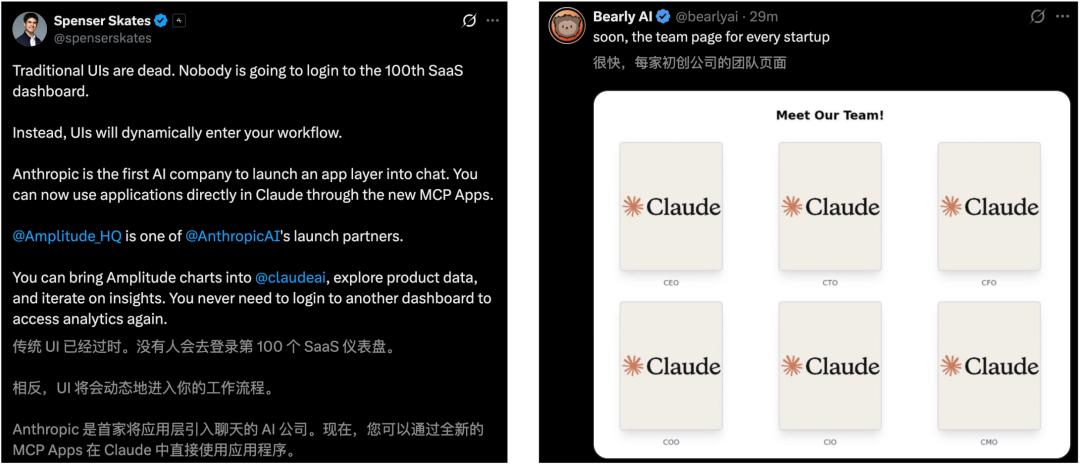
AI experts have remarked that Claude is now significantly more useful than Clawdbot, with the latest features available to Claude Pro, Team, and enterprise users.
Claude’s New Role in the Workplace
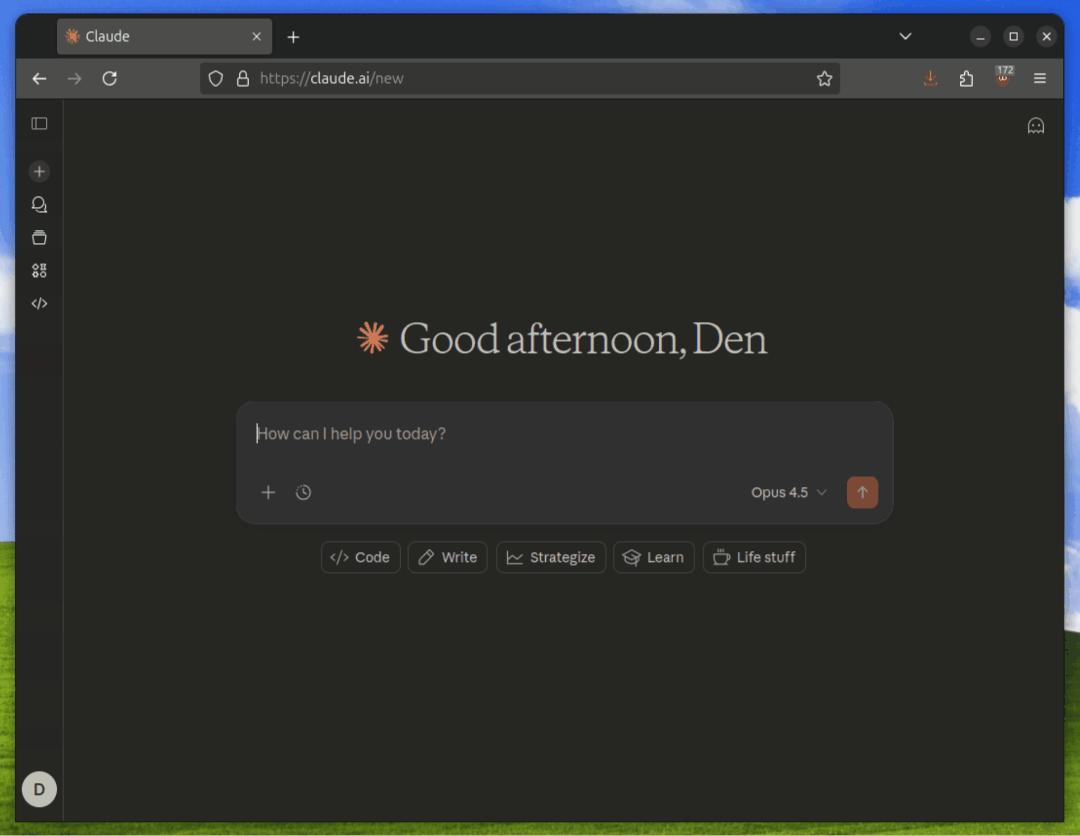
The daily office tools that workers rely on can now be accessed directly within Claude. Previously, while Claude could call various tools via MCP to execute tasks, the major change is that these tools are now presented directly in the conversational interface. This allows for real-time progress updates and collaborative editing.

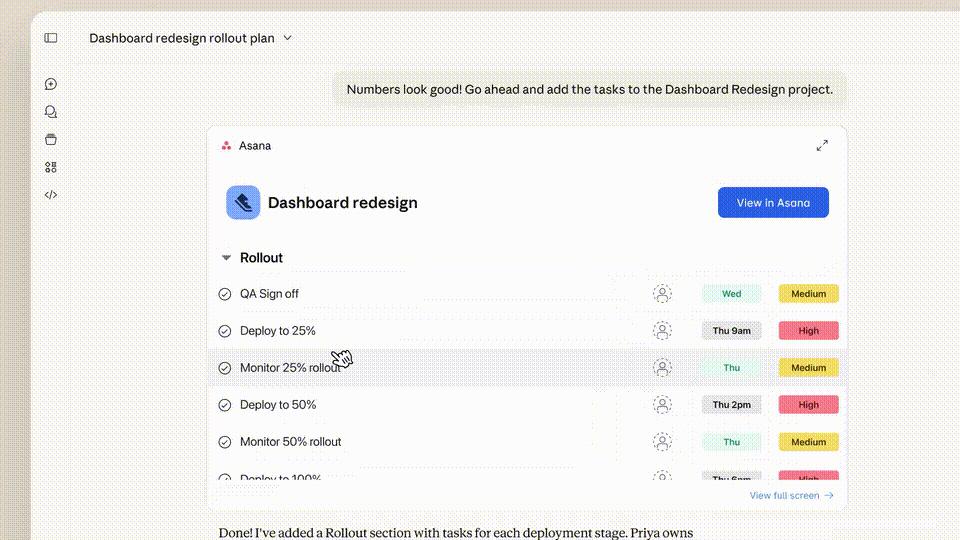
For example, when tasked with integrating collected data into a dashboard project, Claude can immediately set up the project in Asana. Users can also request Claude to send a summary of the results to a colleague, which it can draft in Slack, allowing for direct edits and the addition of emojis.
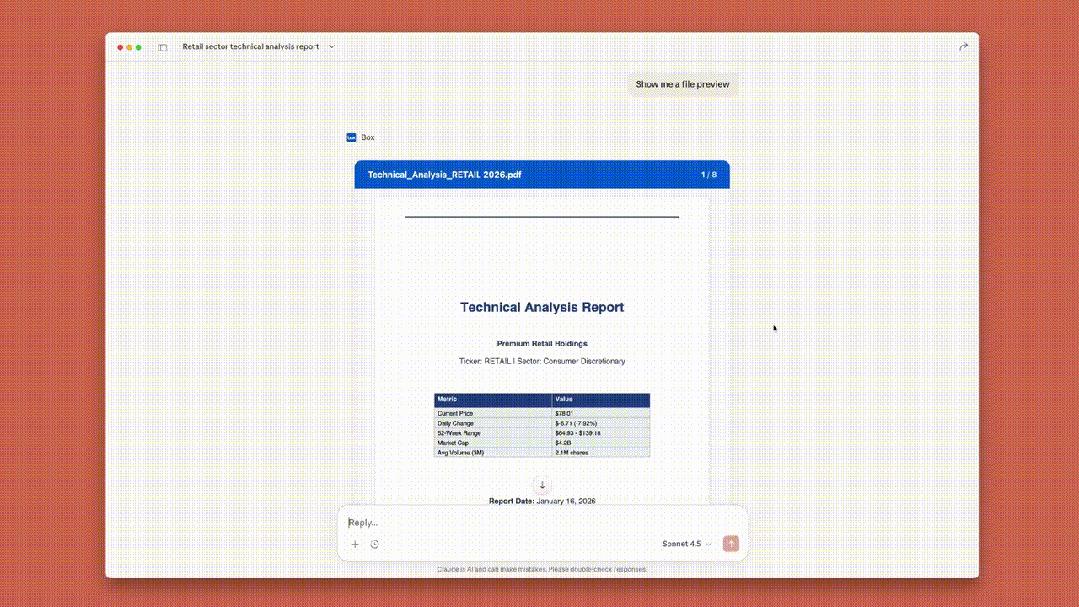
If users need to find the latest retail technology analysis report, they can simply ask Claude, which will retrieve the core report from Box in no time.
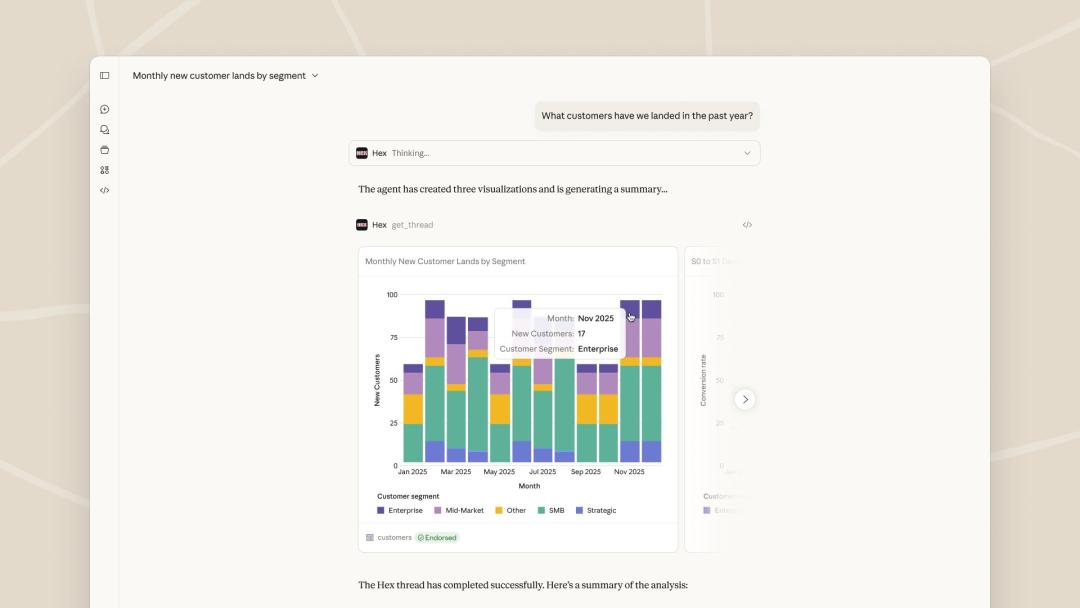
Claude can also connect to Clay to pull background information on Conclusive AI, or use Hex to query data and generate charts, tables, and citations.
This update signifies Claude’s evolution from a simple conversational assistant to a fully integrated AI workstation, enabling users to perform various tasks directly within the platform:
- Amplitude: Create analytical charts and explore trends interactively.
- Asana: Convert chat content into projects, tasks, and timelines for team collaboration.
- Box: Search and preview files quickly, extracting core information or asking questions about file content.
- Canva: Outline presentation drafts, customize brand styles, and create deliverable slides.
- Clay: Research company backgrounds and draft personalized business emails.
- Figma: Transform text and images into flowcharts or Gantt charts with a simple prompt.
- Hex: Ask data-related questions and receive professional answers with interactive charts and tables.
- monday.com: Manage daily tasks, run projects, and visually track progress.
- Slack: Retrieve conversation history, draft messages, and preview before sending.
Anthropic has announced that these new features will soon be available on Salesforce, integrating enterprise-level context into Claude for unified reasoning, collaboration, and decision-making.
The Launch of MCP Apps
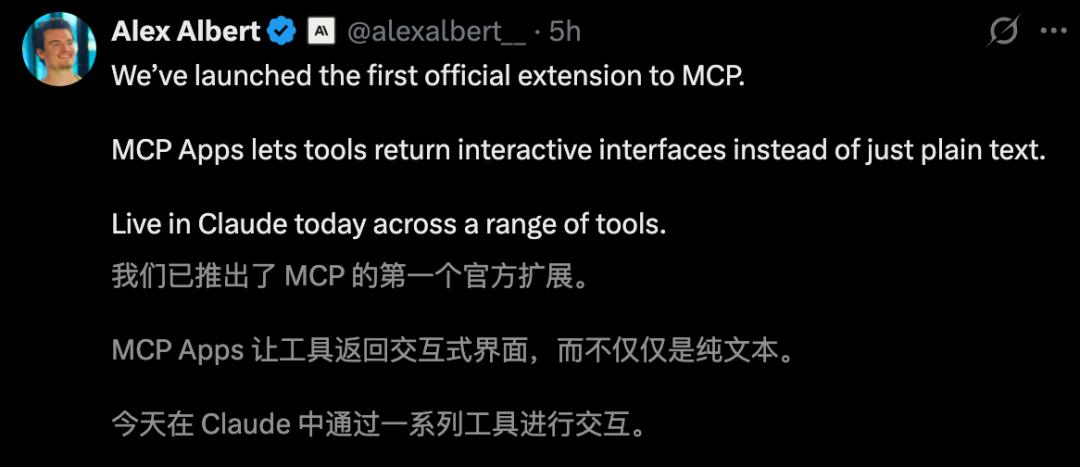
The underlying technology behind these features is the Model Context Protocol (MCP), an open standard connecting tools with AI applications. MCP Apps allow Claude to interact with third-party tools, marking a significant step away from the era of pure text interactions.

With MCP Apps, the interaction is no longer limited to cold text; users can directly generate and manipulate interactive interfaces within the conversation. Whether it’s data dashboards, complex configuration forms, or dynamic visual charts, these can all be created and operated in real-time.
Users have expressed excitement about the arrival of generative UIs, and Anthropic has credited OpenAI for their foundational work on MCP-UI and OpenAI Apps SDK.
Currently, mainstream clients like ChatGPT, Claude, Goose, and VS Code support this functionality, allowing developers to create custom “skins” and “limbs” for AI agents as easily as building web applications.
The Decline of Traditional UIs
MCP Apps enable tools to provide rich, interactive interfaces rather than just returning plain text. When a tool declares a UI resource, the host renders it within a sandboxed iframe, allowing users to interact directly within the conversation flow.
Typical applications of MCP Apps include:
- Data Exploration: Sales analysis tools returning interactive dashboards for direct filtering and report exporting.
- Configuration Wizards: Deployment tools displaying forms with linked fields that adjust based on user selections.
- Document Review: Contract analysis tools highlighting key clauses directly in PDFs for user actions.
- Real-time Monitoring: Server health monitoring tools showing dynamic metrics that update with system status.
MCP Apps bridge the gap between what tools can do and what users can see, transforming cumbersome text interactions into a smooth experience akin to using standard web applications.
Why MCP Apps Matter
While MCP excels at connecting models with data and granting execution capabilities, there often exists a perception gap between what tools can do and what users can see. For instance, a database query tool might return hundreds of rows of data, but users often want to perform further actions like sorting or filtering without sending multiple prompts.
MCP Apps fill this gap by allowing the model to remain deeply involved in the process while the UI handles tasks that are cumbersome in text form, such as real-time updates and direct interactions.
App API
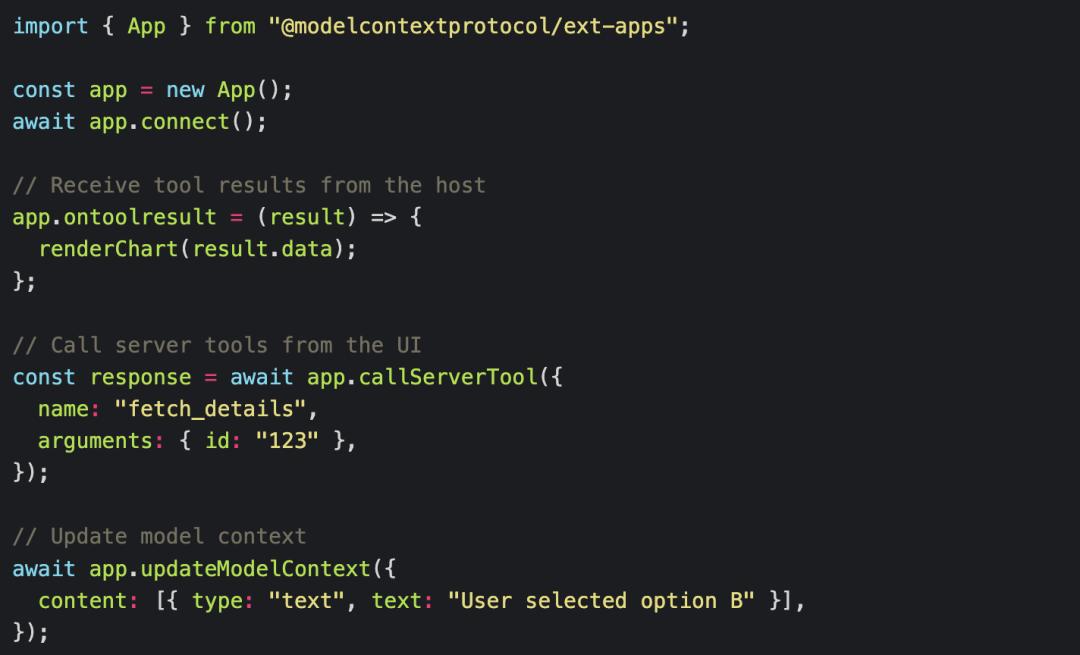
Developers can use the @modelcontextprotocol/ext-apps package to build MCP Apps, which provides an App class for handling communication between the UI and the host.
The emergence of MCP Apps signifies the standardization of the “Agentic UI” framework, marking a crucial step in transforming AI from a mere chatbot into a fully functional productivity tool. Claude has truly gained its “limbs,” and the popularity of Clawdbot continues to soar, raising questions about the future of human labor.


Comments
Discussion is powered by Giscus (GitHub Discussions). Add
repo,repoID,category, andcategoryIDunder[params.comments.giscus]inhugo.tomlusing the values from the Giscus setup tool.